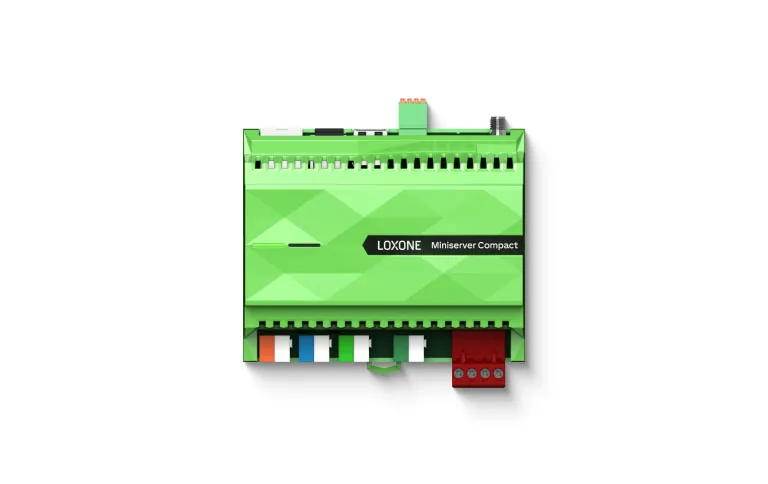
Loxone system
Loxone System Guide: Architecture and Applications
How a Loxone building automation system is structured: Miniserver, extensions, Tree, Air and 1-Wire, Config programming, integration with KNX, BACnet and Modbus, and project delivery.
Quick answer
Loxone is a local-first building automation platform built around the Miniserver, a controller that runs logic, schedules and scenes without a mandatory cloud connection. Extensions add inputs and outputs, Tree, Air and 1-Wire connect field devices, and Config defines behaviour that the app and interfaces expose.
A local-first architecture
Loxone is designed around a simple principle: the building should keep working when the internet does not. The Miniserver stores the control programme, runs schedules and scenes, and communicates with field devices on local buses. Remote access and the mobile app are conveniences layered on top, not a dependency for daily operation. That design suits buildings with unreliable connectivity, strict data residency requirements or a need to keep operating during a network fault. It also changes the support model: the integrator can diagnose logic locally, and the owner is not exposed to a subscription ending. Local-first does not mean isolated. Gateways and interfaces connect KNX, Modbus, DALI and BACnet equipment, and a supervisor can read the system without taking over control. For a commercial building, the same principle applies to the controller network: local autonomy first, central coordination second. The practical question is which functions must survive a WAN outage, and whether the design has tested that scenario. A local-first claim that has never been tested offline is only a marketing phrase. The test should be repeated after a firmware update, because a change in the controller's behaviour can quietly reintroduce a dependency the design removed. Local autonomy also has a cost: every controller needs its own backup and its own replacement plan.
- Logic and schedules stored on site
- App and remote access as optional layers
- Local buses for field devices
- Gateways for third-party systems
The Miniserver and extensions
The Miniserver is the core controller: it holds the programme, the schedules, the user permissions and the interfaces. Onboard inputs and outputs cover a small installation directly; extensions add capacity over a local bus when the project grows. Capacity planning should happen before the panel is built, because input type, output type and spare capacity all affect the enclosure, the power supply and the wiring. The design should also record which functions run on which controller, so a failure has a bounded effect. Backups, licence documents and a tested restore procedure are part of the system, not an afterthought. Model selection is a project decision based on point count, interface requirements and future expansion, not a default choice repeated from the last project. The selected model should be documented with the point count and interface list that justified it. A spare capacity allowance is cheaper at design stage than a second panel after handover, and it should be stated as a percentage of used capacity rather than left as a vague intention. The replacement procedure should be written for someone who has never seen the panel, and tested once while the original engineer is still available. A second controller for resilience is a design choice, not a default; it needs defined failover behaviour.
- Programme, schedules and permissions
- Onboard I/O plus extension bus
- Capacity and spare planning
- Backups and a tested restore
Tree, Air and 1-Wire
Loxone uses three peripheral technologies for different jobs. Tree is a wired bus for switches, sensors, dimmers and actuators; it carries power and data, and it suits new-build projects where cable routes are planned. Air is a wireless protocol for devices where cabling is impractical, including retrofit and some sensor locations; it needs a signal survey and a power strategy for battery devices. 1-Wire is a simple bus used mainly for temperature sensing in floors, pipes and rooms, with addressing that makes each sensor identifiable. The three can coexist in one installation. Design rules cover topology, cable length, termination, power budget and separation from mains noise. The choice is not about which technology is newer; it is about the building, the routes and the maintenance model. Wireless should be treated as a design decision with a maintenance plan, not as a shortcut around planning. Documenting device addresses and bus topology saves hours during commissioning and later fault finding, and it is the first thing lost when a project is handed between installers. A wireless device that needs a ladder to reach is a maintenance cost even when it is not a control problem. Labelling each bus segment at both ends is a small habit that saves a long afternoon.
- Tree: wired bus with power and data
- Air: wireless for retrofit and sensors
- 1-Wire: temperature sensing
- Topology, power and addressing documented
Config: programming the building
Config is the engineering environment where the building's behaviour is defined. Function blocks handle inputs, outputs, logic, schedules, scenes, alarms and user rights. A well-structured project uses naming conventions, reusable blocks and comments that another engineer can follow. Simulation and online testing help verify logic before commissioning, but they do not replace point-by-point checks on site. Version control matters: a changed schedule or a new interlock should be recorded with a date and a reason. Access control to the project file matters too, because an undocumented edit can undermine a tested sequence. The output of Config is not only a working programme; it is a maintainable description of how the building is supposed to behave, which is what the owner needs at handover. A naming convention agreed at the start is cheaper than renaming blocks after commissioning. If the only person who can read the programme has left the project, the building has lost part of its documentation. The programme should be treated as a controlled document, not as a personal notebook. A programme that depends on undocumented global variables is not maintainable, however elegant the logic looks on screen. Two engineers should be able to open it and find the same block for the same function.
- Function blocks for logic and sequences
- Naming conventions and reusable blocks
- Simulation plus on-site point testing
- Version control and controlled access
Integration with other systems
Very few buildings are single-vendor. Loxone integrates through native interfaces and gateways: KNX for lighting and room devices, Modbus RTU or TCP for meters, inverters and equipment, DALI for luminaires, BACnet through a gateway for plant and supervisory systems, and HTTP or REST for software services. Dry contacts remain a dependable fallback for fire, legacy equipment and simple status signals. Each interface needs a point map: source address, target name, data type, unit, scaling, read or write direction and fail state. Gateways add a device that must be powered, configured and documented. The integration design should state what happens when a gateway goes offline, and whether the local controller can continue without it. Native support and gateway support are different commitments; the specification should say which one is required for each system. For each interface, record who owns the gateway configuration and who is called when it fails. An interface that works today but has no owner will fail quietly next year. The fail state should be defined for each point, not for the gateway as a whole. The interface register is more useful than a wiring diagram when a third-party device misbehaves.
- KNX and DALI for lighting and room control
- Modbus for meters and equipment
- BACnet via gateway for plant
- Point map with scaling and fail states
Planning and capacity
Planning a Loxone project is mostly an exercise in counting and boundaries. Start from the point schedule, group points by location, and decide which controller serves which group. Keep each controller's scope small enough that a failure affects one zone or one plant item, not the whole building. Allow spare I/O for future changes; a typical planning allowance is 10 to 20 percent of used capacity, but the project's own growth expectation should decide. Check the bus power budget, the cable lengths and the number of devices per line against the manufacturer's documentation for the exact model and firmware. Reserve panel space for an additional extension and label the spare terminals. Record the interface list with the protocol, the gateway model and the point count on each link. A capacity plan that is not written down is a guess, and a guess made before the panel is built becomes a constraint for the next ten years. The plan should also state what happens when a controller is replaced, because that day will come. The programme file, the licence and the backup should be stored where the owner controls them, not only on the integrator's server. The capacity plan should be reviewed at every design change, not only at the start.
- Group points by location and failure boundary
- Typical spare allowance of 10 to 20 percent
- Check bus power, cable length and device counts
- Record the capacity plan and replacement path
Delivery and lifecycle
A Loxone project is delivered in stages: requirements, point schedule, panel design, configuration, factory testing, site commissioning, handover and support. Factory testing catches wiring and configuration errors before the site is busy. Site commissioning proves every point, every sequence and every alarm, including the behaviour when a device is disconnected. Handover should include backups, network diagrams, credentials, a user guide and training for the people who will operate the building. The support model should be explicit: who responds, within what scope and how changes are approved. A local-first system is easier to maintain when the owner holds the project file and the documentation, rather than depending on a single engineer's laptop. Lifecycle planning should also cover spare devices, firmware updates and the process for adding a new floor or tenant. The owner should be able to add a device or change a schedule without rebuilding the whole programme. That is the practical meaning of an open, local system. The commissioning script should include a controller restart, a bus device disconnection and a gateway failure, because those are the conditions the building will eventually meet. Training should include how to read an alarm, not only how to press a scene button. The first year of operation should include a review of changes actually made, because that list reveals whether the system is used as designed.
- Requirements and point schedule first
- Factory testing before site works
- Point-by-point commissioning
- Backups, training and support terms
Where another platform fits better
A local-first platform is not the right answer for every building. Very large plant with hundreds of control loops, strict utility-grade cybersecurity requirements, or a specification that mandates a particular supervisory system may be better served by another architecture. Loxone is strongest where room control, local autonomy, integration of third-party devices and a clear owner-operated system matter. It is weaker where a project needs a very large single database, deep native BACnet engineering, or a support organisation that only works with one enterprise platform. The honest design conversation is about fit, not brand loyalty. A project can use Loxone for room and plant control and a separate supervisor for portfolio reporting, provided the boundary and the point ownership are documented. The worst outcome is a platform chosen for ideology and then stretched beyond its intended role, because the resulting system is neither local-first nor enterprise-grade. A good specification says what each platform is doing and what it is deliberately not doing. The boundary should be reviewed when a new system is added, because old assumptions rarely survive a new interface. A platform that must be defended in every meeting is usually the wrong platform for the project. The common failure modes are a controller stretched beyond its capacity, a gateway nobody owns, a programme with only one reader, and a backup that has never been restored. Each is a design omission rather than a product defect.
- Strong fit for room, plant and third-party integration
- Weaker fit for very large single-database estates
- Split architectures work when boundaries are documented
- Choose the platform for the role, not the label
Loxone system elements and their design notes
16 rows| Element | Function | Typical application | Design note |
|---|---|---|---|
| Miniserver | Core controller and logic engine | Plant room or floor panel | Plan capacity, backup and replacement |
| Extension | Additional inputs and outputs | Extra zones and plant signals | Count spare capacity and bus power |
| Tree | Wired peripheral bus | Switches, sensors and dimmers | Topology, termination and power budget |
| Air | Wireless peripherals | Retrofit and remote sensors | Signal survey and battery plan |
| 1-Wire | Temperature sensing | Floor, pipe and room sensors | Cable length and addressing |
| Config | Programming environment | Logic, schedules and scenes | Version and document |
| Loxone App | User interface | Occupant and operator control | Role-based views and permissions |
| KNX interface | KNX device integration | Lighting and shading | Group address mapping |
| Modbus | Meter and equipment integration | Meters, inverters and drives | Register map and scaling |
| BACnet gateway | BACnet device integration | Plant and air handling units | Object mapping and polling load |
| DALI gateway | Lighting control | Luminaires and drivers | Addressing and groups |
| Power and backup | Supply and resilience | Panels and controllers | UPS, surge protection and restore test |
| Network | Controller and gateway connectivity | Local and site networks | Segmentation, addressing and time source |
| Remote access | Off-site support and app access | Operator and integrator use | Role-based access, logging and revocation |
| Spare capacity | Future points and devices | Expansion and tenant fit-out | State the allowance as a percentage |
| Documentation and backups | Handover and recovery | Owner and maintenance team | Versioned, stored off the engineering laptop |
Project images
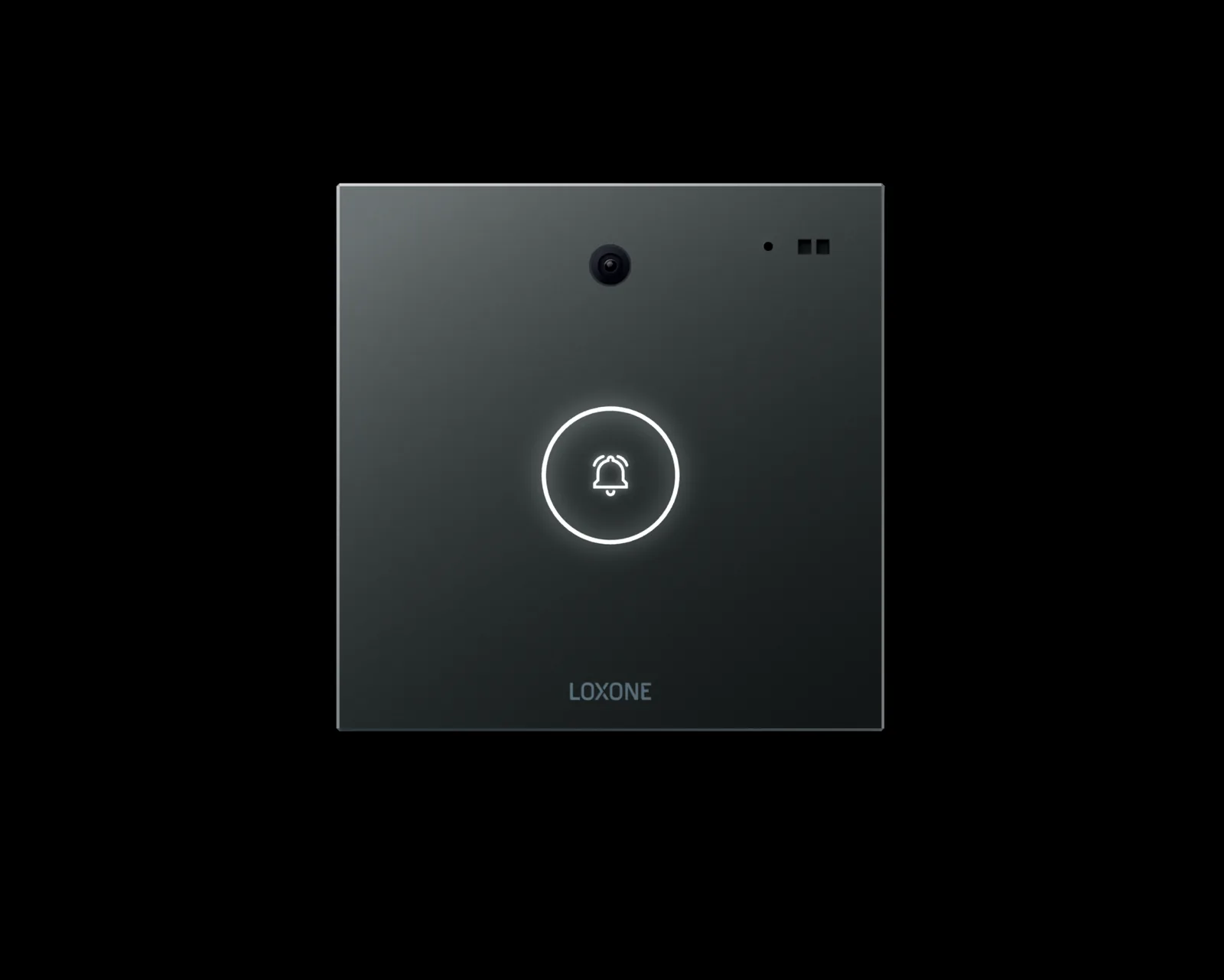
3 images
Frequently asked
01What is a Loxone Miniserver?
It is the core controller of a Loxone system. It stores the programme, runs logic and schedules, provides interfaces and coordinates extensions and peripheral devices. Control remains local, so the building can operate without a cloud connection. Capacity, interface count and backup arrangements should be planned before the panel is built.
02Does Loxone need an internet connection?
No for local control. The Miniserver runs the building on site. Internet access is used for remote app access, notifications, updates and remote support. The design should identify which functions must continue when the WAN link is down, and commissioning should prove that list rather than assume it.
03What is the difference between Tree, Air and 1-Wire?
Tree is a wired bus for switches, sensors and actuators. Air is wireless for devices where cabling is impractical. 1-Wire is a simple bus used mainly for temperature sensors. They can coexist, and the choice depends on the building, the routes and the maintenance plan. Wireless devices need a signal survey and a battery replacement plan.
04Can Loxone integrate with BACnet?
Yes, through a BACnet gateway. The gateway maps BACnet objects to Loxone points. Check object support, point capacity, polling behaviour and what happens when the gateway goes offline before fixing the design. A gateway that is not documented is a single point of failure that nobody owns.
05Is Loxone suitable for commercial buildings?
It can be, where local control, open interfaces and a clear support model fit the project. Commercial projects usually need more documentation, role-based access, integration testing and lifecycle planning than a residence. Scope and support should be agreed explicitly. A commercial building also needs a named owner for the programme and the backups.
06How is a Loxone system programmed?
Behaviour is built in Config from function blocks for inputs, outputs, logic, schedules, scenes and alarms. Good projects use naming conventions, reusable blocks, version control and on-site point testing before handover. The programme should be treated as a controlled document that another engineer can read and maintain.
07What happens if the Miniserver fails?
Functions on that controller stop until it is restored or replaced. The design should limit the scope of each controller, keep backups, hold spare hardware and document the restore procedure. Critical functions should not depend on a single undocumented device. A replacement should be possible without rebuilding the programme from memory.
Next step
Bring us the building.
Tell us the building type, systems in scope and the outcome you need. We will map the shortest path to a working system.