Loxone · Config
Loxone Config — Engineering, Logic and Operator App
How a Loxone building is configured: the engineering environment, control logic, operator app, remote access, backups and the documentation handed over.
Quick answer
Loxone Config is the engineering environment where the building's devices, inputs, outputs and control logic are configured. It produces the schedules, interlocks, alarms and operator views that run on local controllers, and it is supported by documented backups, version records and a handover pack the building team can maintain.
The engineering environment
Config is where the building is assembled in software. Devices are addressed, inputs and outputs are mapped, and each function is given a name that means something to the operator rather than to the installer. The environment connects to the local controller, so changes are made against the real installation and tested in place. A well-structured project reads like a building: plant room, floors, risers, tenant areas, external zones. That structure is not cosmetic; it determines how quickly a fault can be found at two in the morning. The same environment produces the logic that runs locally and the views that operators use, which is why configuration discipline is an operational issue, not an IT detail. A project should be readable by someone who did not write it. The test is simple: hand the tree to a new engineer and ask them to find a fault.
- Device addressing and I/O mapping
- Naming that matches the building, not the panel
- Local connection for testing against real equipment
Project structure and naming
A project that grows by copy and paste becomes unmaintainable. We define a hierarchy before programming: building, floor, zone, system, device. Plant items, room sensors and tenant areas sit in that tree, and every object carries a tag that matches the drawings and the point schedule. The tree also mirrors the physical topology of panels, risers and rooms, so an address in the software can be found in the building. Templates are used for repeated room types, so a guest room or a standard office is configured once and instantiated, with only the address and the room name changed. Naming follows one convention: location, service, device, and a suffix where a point needs one. We avoid names like 'spare' or 'test2' surviving into handover. The structure is reviewed with the building team, because they are the people who will search it under pressure. Renaming after commissioning is expensive, because every drawing, label and report points at the old name.
- Hierarchy from building to device
- Templates for repeated room types
- One naming convention across drawings, points and software
Logic, sequences and alarms
Most of the engineering work is logic. Schedules decide when a zone is expected to be occupied; interlocks decide what must happen before a pump starts or a damper moves; sequences stage plant and terminal units in the right order; alarm logic decides what is urgent, what is advisory and what should be suppressed during a known event. We keep the logic modular, so a floor or a system can be copied, tested and maintained without unpicking the whole project. Shared function blocks are used for repeated sequences, with parameters rather than duplicated logic. Every non-obvious decision is written into the control narrative, including the reason for a delay, a deadband or an interlock. A logic index maps each block to the sequence and the page of the narrative. Logic that cannot be explained in one paragraph is usually logic that has grown by accident.
- Modular logic by floor, system and plant item
- Shared blocks with parameters, not duplicated logic
- Alarm priority and documented suppression
The app and operator views
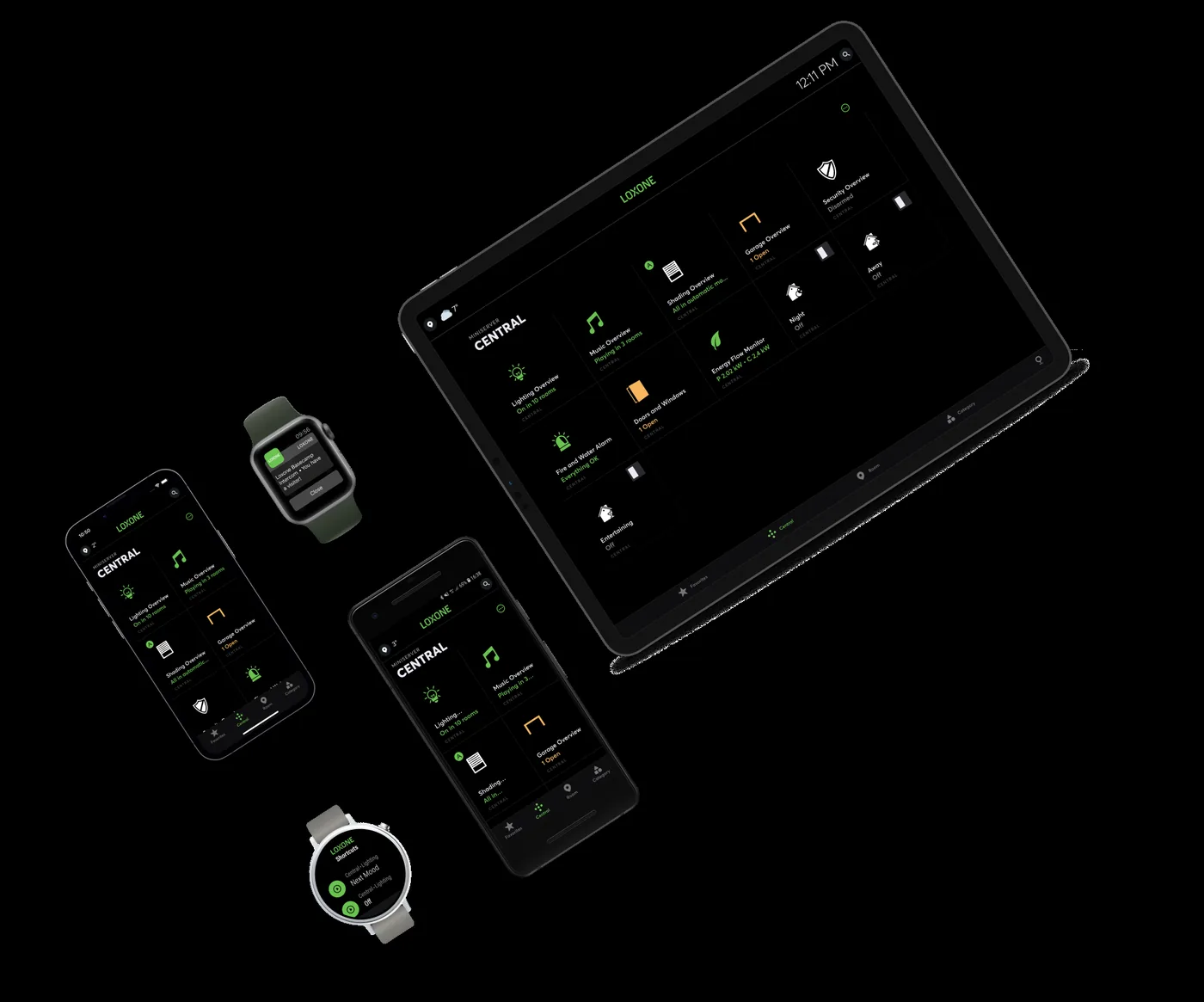
The app is not a consumer remote control. It is the operator interface: role-based views for facilities staff, engineers and management, with the alarms, trends and commands each role needs. A technician can see a plant item, its trends and its interlocks; a manager can see energy and comfort summaries without access to valve commands. Graphics are built around the decisions the operator makes, not around the equipment schedule. The alarm page is the default view, because that is where attention is needed first. The same model serves a wall display in the lobby, a workstation in the facilities office and a mobile device on the floor. Any view that exists only on the engineer's laptop is not a handover deliverable. The default view should answer the question 'what needs attention now' before 'what exists'.
- Role-based views and command permissions
- Alarm-first default view
- Same model on workstation, wall display and mobile
Remote access and security
Remote access is a convenience with a security boundary. Connections should be explicit, authenticated and logged, with two-factor authentication for anyone outside the building network. The control network is separated from tenant and guest networks; inbound paths are brokered rather than exposed. Local-first operation means the building does not need the remote path to run. Access can be revoked when a contractor leaves, and the audit trail should show who connected, when and what changed. Accounts are individual, not shared, and service accounts are documented with an owner. These are configuration decisions as much as network decisions, and they are reviewed with IT before the system goes live, not after the first incident. A remote connection that is always open is a door left unlocked; it should be opened for a task and closed after it.
- Two-factor authentication for remote users
- Segmented control network and brokered access
- Individual accounts, revocation and audit trail
Backups, version control and change control
A configured building is intellectual property and operational infrastructure at the same time. The project file, the controller backup, the point schedule, the network diagram and the control narrative belong in the handover pack. Backups run on a defined schedule and are tested by restoring to a spare controller, not merely by confirming that a file exists. Version records name the change, the date and the person responsible, so a regression can be traced to a release. Changes after handover follow a simple change-control path: request, impact, approval, implementation, record. That discipline is what keeps a working building working after the original engineer moves on, and it is the difference between a maintained system and a collection of undocumented edits. A backup that has never been restored is a hope, not a backup. Version names should mean something to the building team, not only to the developer.
- Project file, controller backup and point schedule
- Restore test on a spare controller
- Version record and change request trail
Commissioning support, documentation and operator training
Configuration is proven during commissioning, not by the fact that it compiles. We support point-to-point testing, sequence testing and fault simulation, and we record the parameter values that were actually set: setpoint limits, delays, deadbands and alarm thresholds. The as-built documentation includes the project file, the logic index, the point schedule, the alarm list, the graphics index and the network drawing. Training is arranged by role: operators learn alarms, schedules and permitted overrides; technicians learn trends, backups and first-line diagnostics; managers learn reports and energy views. Competency is recorded, not assumed. The goal is a building team that can make routine changes safely and knows when to call for help. Training ends with a practical exercise: change a schedule, acknowledge an alarm, restore a backup on a spare controller. The handover is complete when the building team can repeat those tasks without the engineer present.
- Parameter values recorded as commissioned
- As-built file set and logic index
- Role-based training with recorded competency
Configuration work areas and deliverables
15 rows| Work area | What is configured | Deliverable | Owner after handover |
|---|---|---|---|
| Project hierarchy | Building, floor, zone, system and device tree | Project structure drawing | Building team |
| Naming and tagging | Location, service, device and point suffixes | Naming convention and tag register | Building team |
| Templates | Standard rooms, floors and plant groups | Template library and instantiation guide | Building team |
| Device addressing | Controllers, extensions, Tree and Air devices | Address and device list | Building team |
| I/O mapping | Inputs, outputs, sensors and actuators | Point schedule with names and ranges | Building team |
| Schedules | Occupancy, setback, cleaning and seasonal periods | Schedule matrix by zone | Building team |
| Control logic | Interlocks, sequences, PID loops and changeover | Control narrative and logic index | Building team |
| Alarms | Priorities, routing, suppression and escalation | Alarm list and escalation matrix | Building team |
| Trends and logs | Points, intervals, retention and export | Trend schedule and export procedure | Building team |
| Operator views | Dashboards, floor plans, trends and commands | Graphics package and role matrix | Building team |
| User roles | Accounts, permissions and command limits | Role register and permission matrix | Building team |
| Remote access | Accounts, two-factor, connection policy | Access register and policy | Building team with IT |
| Backup and restore | Schedule, retention and restore test | Backup record and restore procedure | Building team |
| Version control | Release names, dates and change history | Version register and change log | Building team |
| Documentation and training | As-built drawings, narratives and training material | Handover pack and training record | Building team |
Project images
3 images
Frequently asked
01Is Loxone Config a programming language?
It is a graphical engineering environment built from function blocks and configuration objects. Complex logic can be structured, named and documented without writing general-purpose code.
02Can we edit the system ourselves?
The building team can be trained to change schedules, setpoints and user accounts within defined permissions. Structural logic changes should follow change control and, where required, be supported by the integrator.
03Does the app require a cloud account?
Local operation does not depend on a cloud account. Remote access can be provided through a brokered connection with two-factor authentication.
04How are backups handled?
The project file and controller configuration are backed up on a defined schedule, and a restore is tested on a spare controller before handover.
05Can different users see different things?
Yes. Role-based views and command permissions are configured for operators, engineers, management and, where relevant, tenants or residents.
06What documentation is handed over?
The point schedule, control narrative, alarm list, network diagram, graphics index, backup record and training notes.
07How are changes tracked after handover?
Through a change-control path: request, impact assessment, approval, implementation and a record in the audit trail.
Next step
Bring us the building.
Tell us the building type, systems in scope and the outcome you need. We will map the shortest path to a working system.