BMS · Components
BMS Components — From Sensor to Supervisory Software
Field devices, controllers, supervisory software, network equipment and gateways: the components of a BMS and the questions to ask about each.
Quick answer
A BMS consists of field devices, DDC controllers, a supervisory server and software, network infrastructure, integration gateways and an operator interface. The controller layer keeps the building running; the supervisory layer turns points into alarms, trends, schedules and reports for the operating team.
Field devices and controllers
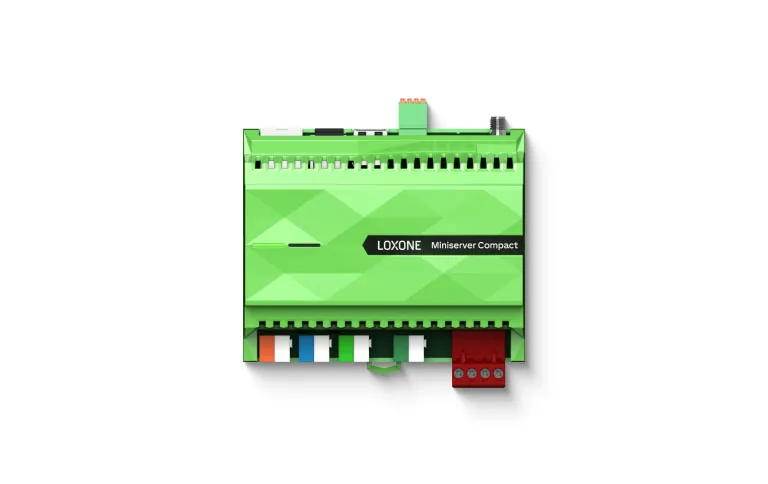
The field layer turns physical conditions into signals. Temperature, pressure, humidity, flow, current and status sensors feed controllers; actuators move valves, dampers and fans. Meters may connect by pulse, Modbus or a building protocol. Controllers range from plant DDC panels to small terminal units, and their selection follows the sequence, the I/O count and the environment. A controller in a plant room needs a different enclosure from one above a ceiling. Keep the point schedule next to the controller schedule, because a component list without point ownership is only a shopping list. A sensor that is cheap but inaccessible will be ignored during maintenance. Accessibility is part of accuracy over the life of the system.
Supervisory software and servers
The supervisory layer is software plus the hardware it runs on. It owns the data model, graphics, alarm routing, trends, schedules and reports. Check how it stores history, how it handles time zones and daylight saving, and whether the client can export data without vendor tools. Licensing can be per point, per server or per user; the commercial model matters as much as the feature list. Redundancy is optional, but backup and restore should not be. A server that cannot be restored by the client is a single point of failure with a maintenance contract. Ask for a restore demonstration, not a backup log. The difference appears the first time a disk fails.
Network and integration hardware
The network is a component in its own right: switches, routers, firewalls, field bus segments, repeaters, gateways and power supplies. Each gateway should have a documented protocol, point map, firmware version and owner. Cabinets need power, cooling, labelling and a schedule. Keep building networks separate from tenant and corporate networks, and document the address plan. A component list that omits network hardware is incomplete, because that is where many integration problems begin. The cheapest gateway is not cheap if nobody can diagnose it. Label both ends of every cable and keep the label scheme in the handover pack. A network drawing that stops at the cabinet door is not a network drawing.
The components people forget
Several items never appear in a sales brochure but decide whether the system is maintainable: a time source, UPS for controllers and network equipment, spare I/O modules, licensed software media, configuration backups, as-built drawings and a training session for the client's team. Add a support agreement that defines response times and who may change sequences. Cybersecurity updates belong on the same list. At handover, the client should receive a component register with model, location, firmware and warranty for each item, not just a pile of manuals. Training should cover alarms and overrides, not only graphics navigation. The client should know which changes require a vendor and which can be made in-house.
BMS components and selection questions
7 rows| Component | Role | Selection question |
|---|---|---|
| Field sensors | Measure temperature, pressure, flow and status | Is the technology and accuracy right for the range? |
| Actuators and valves | Move dampers, valves and fans | What is the fail position and torque margin? |
| DDC controllers | Run sequences and local safety | Does the I/O mix match the point schedule? |
| Supervisory server and software | Data model, alarms, trends and reports | Can the client export and restore? |
| Network equipment | Carry data reliably and securely | Is the building network segmented? |
| Gateways | Translate third-party protocols | Who owns the point map and firmware? |
| Power and UPS | Keep controllers and network alive | What rides through an outage? |
Project images
3 images


Frequently asked
01Do I need all these components?
A small building may combine several in one product; a large one separates them. The list is a responsibility checklist, not a fixed bill of materials.
02Can we reuse existing controllers?
Sometimes, if they are supported, documented and have spare capacity. Reuse should follow an audit of firmware, I/O, failure behaviour and spares availability.
03Is a supervisory server always required?
No. Controllers can run standalone. A server adds central supervision and reporting, and may be on site or hosted, but safe operation should not depend on it.
04What is most often missing at handover?
Documentation and backups. Both are cheap to prepare during the project and expensive to reconstruct later, especially when the original programmer is unavailable.
05How do I compare BMS bills of materials?
Compare by function and responsibility, not by model count. Two lists with different part numbers may deliver the same scope, or very different scopes.
Next step
Bring us the building.
Tell us the building type, systems in scope and the outcome you need. We will map the shortest path to a working system.